

Using Visual Schedules to Prevent Problem Behavior
Teaching Your Child to Wait Using First/Then
Children who cannot speak or communicate well can let you know what they want using pictures. We describe the Picture Exchange Communication System (PECS) in Module 13.
For children who do not always understand everything you say to them, pictures can also help them to understand. A simple and useful tool for this is a First/Then board. Using this board, you can let your child know that something he wants IS COMING. But he has to do something else first. Often, when children understand that they will get what they want soon, they can wait for it more patiently. We also talk about First/Then boards in Module 9 –Special Learning Sessions.
Here’s an example of a First/Then board with pictures from Google Images. This First/Then board says that the child will get to watch a few minutes of TV, but he has to get dressed first.
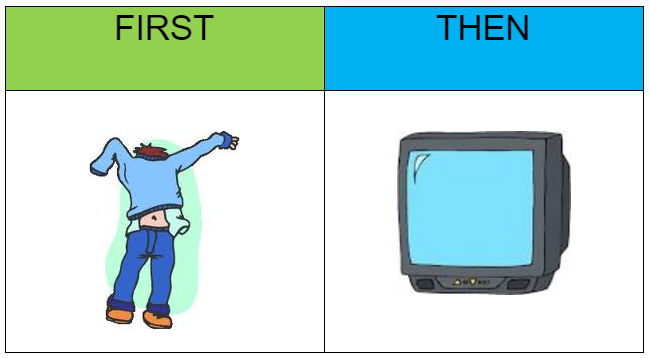
Point to pictures on the First/Then board as you say the words. For example, “First get dressed, then watch TV,” or “First eat dinner, then cookie,” Your child will have a better chance of understanding you if you point to the pictures while you say the words. You shouldn’t expect that he will understand the First/Then idea the first time. Like most things, First/Then boards should work better and better over time if you use them a lot. After a while, using a First/Then board should help him do his task and wait for his reinforcer because he knows that it is coming.
Finding Pictures
You should be able to find pictures that look like your child’s usual meals and treats if you are on the Internet. If not, the ad sections of local newspapers or market flyers are a great source of pictures. And, of course, if you have a smart phone or digital camera, you can take the exact pictures that you want. You can download and print the pictures in any Module of this program. If you want more ideas about how to use pictures to help your child communicate review the PECS Module (Module 13) and also visit the PECS website at www.PECS.com.
When to Use a First/Then Board
There are many times that First/Then boards can be useful. For example, you want to do a special learning session with your child but your child wants to go to the park. You know this because he is trying to put on his jacket. You could make a first/then board with a picture of your child in a learning session on the “First” side and a picture of the park on the “Then” side.
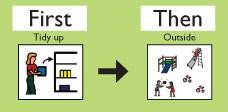
Here’s another First/Then board that we found on Google Images. It shows that FIRST the child must help clean up, and THEN it will be time for going outside to play. Using a First/Then board is a great way to teach waiting.
You can also use a First/Then board while you are doing your special learning sessions. That will show your child that a preferred activity is coming right after a new task or one that requires a little more effort. Here’s an example showing that FIRST, the child must string beads and THEN he can play with the helicopter toy.
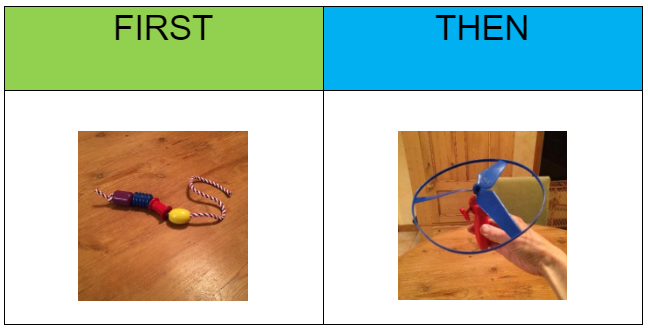
Point to the pictures from left to right saying, “First beads, then helicopter.” Then point again to the picture of the beads and say, “First beads,” and then hand him some beads to string. (
If there are a lot of beads in the bin take some of the beads out of the bin and put them away before you give the bin to your child. This way, the task won’t seem so hard and he will know the task can be done quickly. Over time, you can add a bead or two to the bin before handing the bin to your child.
When you are first teaching your child to follow a picture schedule that includes tasks he has to do by himself, it’s best to use tasks that are not too hard and don’t take much time. It is also good for the tasks to have clear beginning and end points.
Once the child finishes the task, praise him enthusiastically, remove the bead picture from the First/Then board and then point to the picture of the helicopter. Say something like, “Helicopter!” or “Let’s play helicopter now!” After a lot of practice, you can just point to the pictures and label them in turn (i.e. First beads, then helicopter). And your child will follow it like a schedule, with little or no more instruction.
In the following video clip, the teacher is using a First/Then board. She is showing the child that after he finishes a simple task, he can play with a toy he likes.
First/Then boards can be very useful when your child finds something stressful. For example, the following is a First/Then board that can be used for doctor visits.
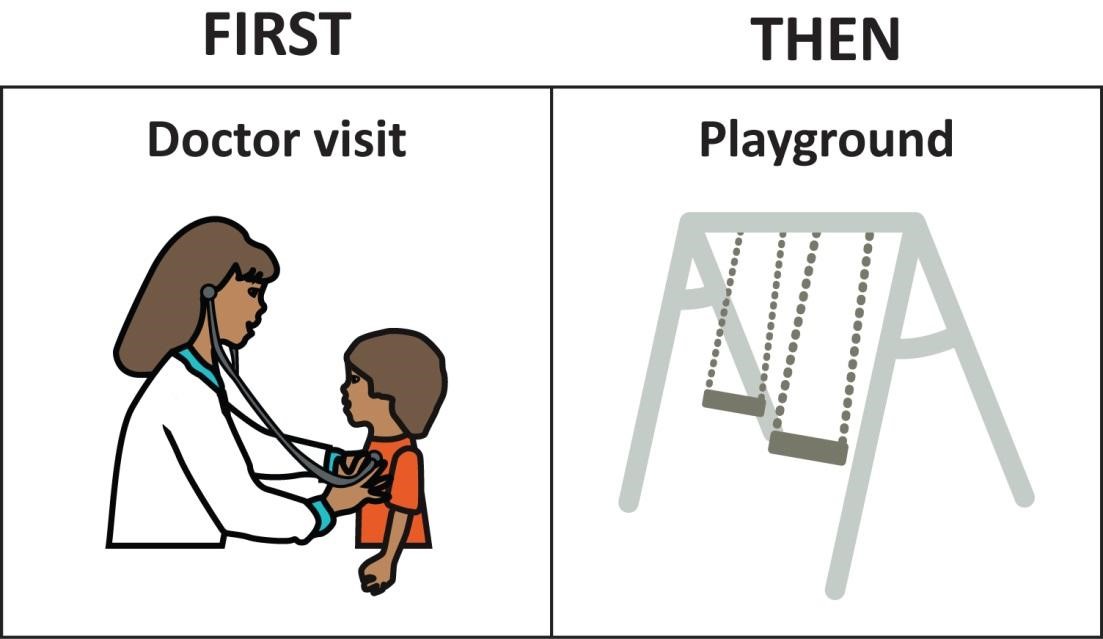
While in the doctor’s waiting room and the exam room, you can review a First/Then board with your child. This will show him that a highly preferred treat or activity is coming soon. Just place a picture of something very special to your child in the “Then Box.” For example, first doctor, then park or first doctor and then swimming!
When visiting the doctor, it may also help to have some treats and toys on hand. That way, you can reward your child every 30 seconds or so for letting the doctor perform even small parts of the examination.
You will use many of the same pictures as you do if you try PECS. Protect pictures that you will use a lot. Do this by laminating, or covering them with contact paper or with plastic wrap. Your child’s most preferred toys, treats, and activities will be used for the “THEN” side of the board. Less preferred activities, or those that require the child’s effort, will be used for the “FIRST” side of the board.
Once your child understands the idea of “first/then” you may be able to just say the words “first” and “then.” In the following clip, the little boy has been on a break. During his break, he got to sit in a desk chair that spins around. He calls it “the big chair.” When his break ends he is upset to come back to the “little chair” to do his work. His teacher makes him feel better using first/then. His team has been working on “first/then” for a while. So his teacher can just say “First the little chair, then the big chair.” He responds quickly even without seeing the pictures on a First/Then board and there’s no tantrum!
PICTURE SCHEDULES
Start your First/Then boards with only two pictures. When your child seems better able to wait patiently when he sees that something good is coming soon, you may be ready to slowly increase the number of pictures. We will refer to First/Then boards with more than two pictures as picture schedules. Even after you begin to work on picture schedules, it’s a good idea to also keep using the First/Then board with only two pictures.
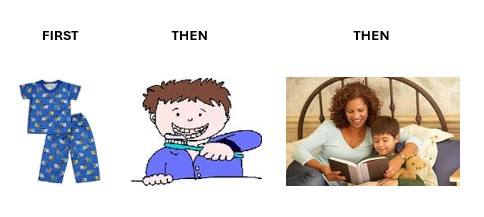
Picture schedules generally run from top to bottom or left to right. They are often used to show children the steps of a routine. They can also be used to show children the schedule for parts of the day. This way they will know what’s coming next. This can help with transitions from one activity to another. Picture schedules can be as long or as short as you want. Begin with very short ones of only 3 or 4 pictures, and increase the number of pictures slowly. Here’s an example of an activity schedule showing a short bed-time routine.
Even for children who don’t show problem behavior, visual schedules may help prevent the child getting upset. Most children react better if they know what is coming. When they don’t know what’s coming, it can cause them to worry or be scared.
Using Visual Activity Schedules to Teach Daily Routines
Visual schedules can be a very good learning tool for helping children to learn important daily routines. These include things such as brushing teeth, bathing, and getting ready for school or going out. Here is a ready-made picture schedule for tooth-brushing that we found on the Internet by typing “picture activity schedules for tooth brushing” into the Google Images search bar.
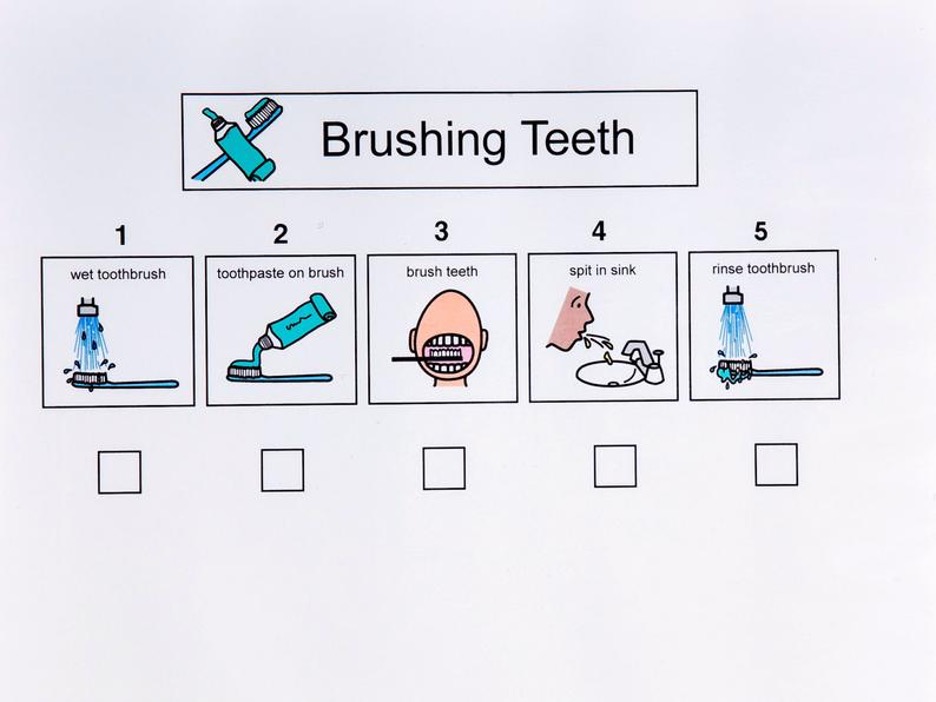
Notice that there are small boxes underneath each picture so that you can write a check-mark in the box each time your child completes a step. That would help your child to keep track of where he is in the routine. If you laminate your picture schedules you can write on them with a dry erase marker and use them over and over again.
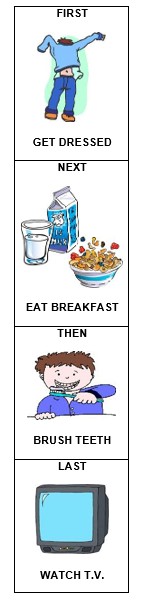
Using visual schedules is a good way to help your child remember the steps to these routines while he is learning them. Over time multi-step skills like tooth-brushing, bathing, and dressing can become familiar and then your child may not need a step-by-step schedule. Once your child has learned the steps to several routines, you can even make picture schedules to help your child know the parts of his day. Here a single picture will show each multi-step routine. Here is an example of a morning routine picture schedule.
Daily Schedules
The final example is of a daily picture schedule which shows a child’s schedule for the whole day. We made this picture schedule using pictures from Google Images so the only cost for this picture schedule would be the cost of the paper, ink and lamination sheets. This picture schedule is made by putting three or four picture schedules together. It begins with a picture schedule for the morning routine. It ends with a picture schedule for the bedtime routine. The middle part would show the activities planned for the day. With so many chances for fun all through the schedule, this child should look forward to his day!
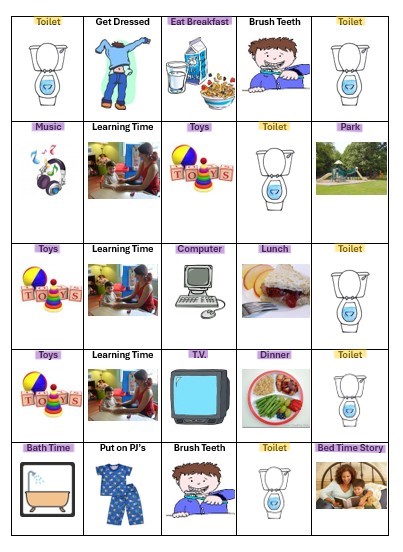
Notice how preferred activities (highlighted in purple), activities the child really likes, are scheduled in between every one or two activities that require some effort on the part of the child. In this way, the preferred activities serve as rewards for the demanding ones, just like with a First/Then Board. You might have noticed that meals and bath time are considered preferred activities for this particular child, though this is certainly not the case for all children.
Also, it’s a good idea to make sure that you don’t schedule anything the child may not like directly after a highly preferred activity. If for example a trip to the park is an extra special treat, it’s a good idea to move from that activity to another preferred activity that is not quite as special a treat, before moving on to a more challenging activity. In this case, when you tell the child that it’s time to leave the park, he can see that he is going home to play with his toys before moving on to his learning session which should be enjoyable, but may still require effort from the child.
You may also have noticed that for this child, there are scheduled trips to the toilet (highlighted in yellow) after each meal and upon waking and just before bedtime. This may be a good schedule for a child who is close to being toilet-trained, but children who are only just learning to use the toilet may need more toilet pictures in their schedule. In short, children’s picture schedules, like everything else, must be made to suit what your child likes and needs.
Once a child understands how to follow a picture activity schedule, he may enjoy crossing off some of the pictures once the activity is completed, knowing that the next activity on the schedule is something fun. This picture activity schedule runs from left to right and top to bottom. You can use a dry-erase or wipe-off marker to cross off each activity and at the end of the day just wipe off the marker with a tissue and you’re all ready for the next time you want to use that schedule. Or you can construct a picture schedule for each morning or afternoon by attaching pictures to a large picture-board using Velcro. Then you can just peel them off as each activity happens, or peel them all off at the end of the day.
There are some excellent software products that you can buy that are specially designed for use with picture schedules. The pictures are very clear and easy to understand; Mayer Johnson Board Maker is one of the best of these products. However, it is not necessary to spend money making picture activity schedules. Making your own picture activity schedule with pictures taken from the Internet or magazines or taken with a smart phone or digital camera will work just fine.